
Apps That Help You Stay Organized and Focused: The Best Tools For a More Productive Life
Have you ever had a well-defined schedule for the day, only to find yourself checking social media, responding to messages, recalling an incomplete assignment from the previous day, and then wondering where the last three hours have gone?
You are not alone.
Modern life gives us more ways to communicate, work, learn, shop, create, and manage responsibilities than ever before. The problem is that all of those responsibilities can quickly become overwhelming.
Work deadlines, school assignments, family appointments, company ideas, bills to remember, meetings to attend, content to create, and personal objectives to reach are all possible. It can be nearly impossible to maintain organization and focus when everything is vying for your attention at once.
This is where productivity and organization apps can help.
The right app will not magically make you disciplined or eliminate every distraction. What it can do is give your thoughts, tasks, schedules, and priorities a place to live so you don’t have to keep everything in your head.
And honestly, that alone can make a huge difference.
Whether you are a student, parent, entrepreneur, professional, freelancer, remote worker, or content creator, there are apps designed to help you organize your life and focus on what actually matters.
In this guide, we’ll look at some of the best apps that help you stay organized and focused, what each one is best for, and how to use them without creating another complicated system to manage.
What Are the Best Apps for Staying Organized?
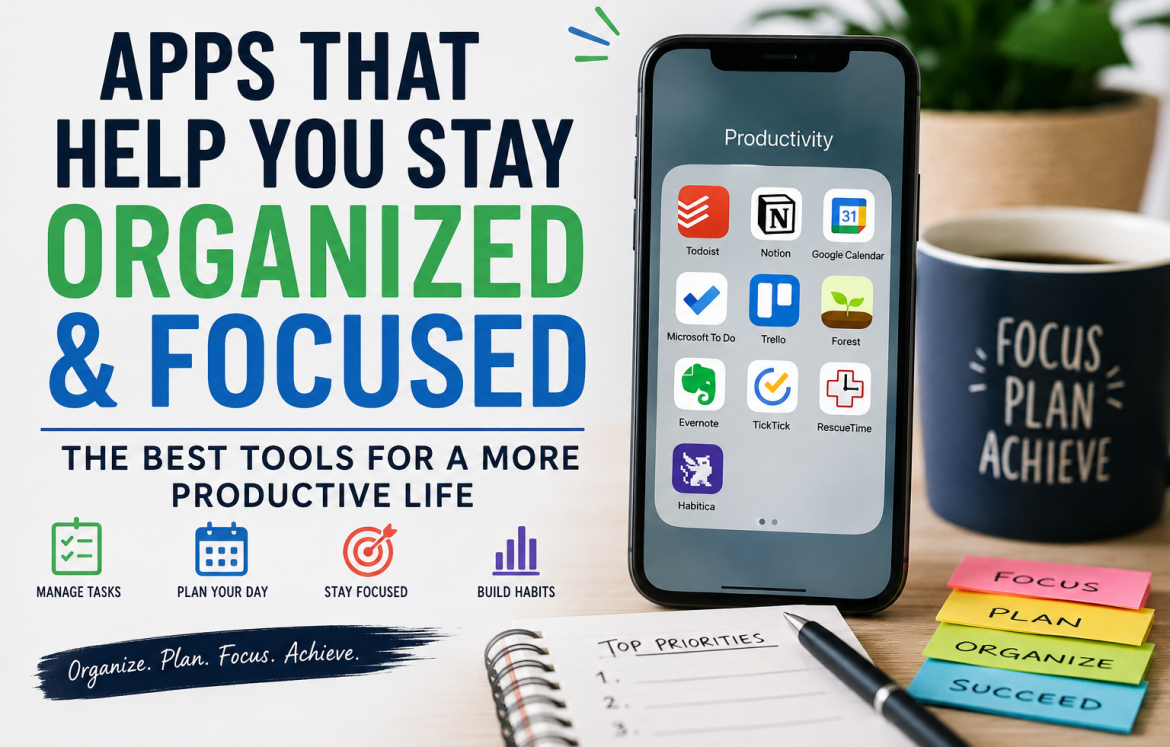
The best apps for staying organized depend on what you need help with. Todoist is excellent for managing tasks, Notion is useful for combining notes and projects, Google Calendar is ideal for scheduling, Microsoft To Do provides simple daily task management, and Trello is particularly useful for visual project organization. The best choice is the app that fits naturally into your routine and that you will actually use consistently.
1. Why Staying Organized and Focused Is So Difficult
Before looking at individual apps, it helps to understand why organization can be so challenging.
The problem isn’t always laziness.
Sometimes, you simply have too much competing for your attention.
Information overload
Every day, we receive information from emails, text messages, social media, websites, work platforms, news apps, and other digital channels.
Your brain wasn’t designed to remember every piece of information coming at you.
Trying to remember everything can create unnecessary mental pressure.
Constant notifications
Your phone can interrupt you dozens of times throughout the day.
A notification might seem harmless, but every interruption has the potential to pull you away from what you were doing.
You may sit down to write an important report and suddenly receive a social media notification. You check it “for just a minute,” and before you know it, you’ve spent 20 minutes scrolling.
Procrastination
Sometimes the problem isn’t that you don’t know what to do.
It’s that you don’t know where to start.
A large project can feel intimidating when it sits on your to-do list as one enormous task.
Breaking it into smaller steps can make it much easier to begin.
Too many responsibilities
Parents, business owners, students, and professionals often have several roles at the same time.
You may be managing your career while taking care of your family. You may be studying while working part-time. You may be running a business while creating content and managing your household.
Without an organizational system, important tasks can easily fall through the cracks.
Lack of clear priorities
Not every task deserves the same amount of attention.
One task might affect your career significantly, while another could easily wait until tomorrow.
Being productive isn’t about completing the largest number of tasks. It is about spending your time on the tasks that matter most.
That’s where productivity apps can become useful.
2. What Should You Look for in an Organization or Productivity App?
With hundreds of productivity apps available, it can be tempting to download several and try them all.
I wouldn’t recommend that.
Before choosing an app, think about the specific problem you want it to solve.
Here are some features worth considering.
Ease of use
If an app is so complicated that you need an hour-long tutorial before you can create your first task, it may not be the right choice for you.
Look for something you can understand quickly.
Task management
A good task app should make it easy to capture tasks, organize them, set deadlines, and mark them complete.
Reminders
Reminders are particularly useful for recurring responsibilities, appointments, bills, deadlines, and tasks you don’t want to forget.
Calendar integration
If you have lots of appointments and time-sensitive responsibilities, calendar functionality can help you see where your time is actually going.
Notes and information storage
Some people need more than a simple checklist.
If you regularly save ideas, research, meeting notes, documents, or project information, consider an app that combines notes with organization.
Cross-device synchronization
If you work on your laptop but manage your personal life from your phone, synchronization can be extremely useful.
You should be able to access important information when you need it.
Collaboration
For businesses, families, students working on group projects, and teams, collaboration features can make it easier to share tasks and responsibilities.
Focus features
Some productivity tools help you work in focused sessions, track your digital habits, or reduce distractions.
Free and paid options
You don’t necessarily need an expensive subscription to become organized.
Many apps offer useful free versions. Start with what you need rather than paying for features you may never use.
3. Best Apps for Staying Organized and Focused
Let’s look at some popular tools and what they are particularly good at.
Todoist: Best for Simple Task Management
Todoist is a strong choice if your main problem is keeping track of everything you need to do.
Instead of relying on scraps of paper or trying to remember tasks mentally, you can capture them in one place.
Todoist allows users to organize tasks into projects and use due dates, reminders, priorities, filters, and different views. Its current free Beginner plan includes personal projects, task reminders, list and board layouts, and integrations, while paid plans add more advanced capabilities.
Who should use Todoist?
It can be particularly useful for:
- Students managing assignments
- Professionals managing work tasks
- Parents organizing household responsibilities
- Freelancers managing client work
- Entrepreneurs managing business projects
- Anyone who simply wants a better to-do list
How I would use it
Create separate projects for major areas of your life.
For example:
- Work
- Personal
- Family
- Business
- Content
- Shopping
Then create specific tasks rather than vague ones.
Instead of:
“Work on website.”
Write:
“Write homepage introduction.”
A specific task is easier to start.
Notion: Best for All-in-One Organization
Notion is one of the more flexible productivity platforms available.
Rather than being only a task manager, Notion can be used for notes, documents, databases, project planning, content calendars, knowledge management, and personal organization.
Its current feature set includes databases, documents, calendars, forms, collaboration tools, mobile apps, web clipping, and different ways of viewing projects and information.
Notion also has a free plan for individuals, while paid plans add additional capabilities for teams and professionals.
Who should use Notion?
Notion can be especially useful for:
- Content creators
- Writers
- Entrepreneurs
- Students
- Researchers
- Project managers
- People who love customizable systems
What can you organize in Notion?
You could create:
- A content calendar
- A personal journal
- A business dashboard
- A reading list
- A project tracker
- Meeting notes
- A study planner
- A goal tracker
- A database of ideas
The flexibility is its greatest strength—but also its potential weakness.
You can spend so much time designing your perfect workspace that you forget to actually do the work.
Keep it simple.
Google Calendar: Best for Scheduling Your Time
Google Calendar is one of the simplest tools for organizing your time.
You can schedule meetings, appointments, events, and tasks, create multiple calendars, and share schedules with other people. Google Calendar also allows dated tasks to appear directly on your calendar, making it easier to see tasks alongside appointments and other commitments.
Why is Google Calendar useful?
Imagine you have:
- A doctor’s appointment at 10 a.m.
- A meeting at noon
- A school pickup at 3 p.m.
- A business deadline at 5 p.m.
Instead of keeping these commitments in your head, you can put them on your calendar.
This gives you a visual picture of your day.
Try time blocking.
One of my favorite ways to use a calendar is time blocking.
For example:
8:00–9:00: Planning and emails
9:00–11:00: Deep work
11:00–11:30: Break
11:30–1:00: Meetings
2:00–3:30: Project work
4:00–5:00: Administrative tasks
The goal isn’t to make every minute rigid.
It’s to give your important work a place in your day.
Microsoft To Do: Best for Simple Daily Planning
Microsoft To Do is designed around straightforward task management.
One particularly useful feature is My Day, which gives you a focused list of tasks you want to accomplish that day. You can create additional lists for things such as work, shopping, travel, or personal responsibilities. Microsoft To Do also supports due dates, reminders, steps, notes, tags, and categories.
It can also connect with Outlook tasks, which can be useful for people already working within Microsoft’s ecosystem.
Who is it best for?
Microsoft To Do is a good option if you want:
- A straightforward task manager
- Daily planning
- Reminders
- Separate task lists
- Integration with Microsoft services
- A relatively simple interface
Try the “My Day” approach
Instead of creating a list of 30 things you hope to accomplish today, choose the few tasks that genuinely matter.
Ask yourself:
“If I only complete three important things today, what should they be?”
Start there.
Trello: Best for Visual Project Organization
Trello is particularly useful if you prefer to see your work rather than simply read through a list.
Trello organizes work using boards, lists, and cards. A board can represent a project, lists can represent stages of progress, and cards can represent individual tasks or ideas.
For example, a content creator could create:
Ideas → Writing → Editing → Scheduled → Published
Each piece of content becomes a card that moves through the workflow.
Trello is useful for:
- Content calendars
- Business projects
- Team projects
- Marketing campaigns
- Event planning
- Website development
- Personal projects
Trello also offers additional views and integrations, although some advanced views depend on the plan you use.
If you are a visual thinker, Trello may feel much more natural than a traditional task list.
Forest: Best for Focus Sessions
Forest takes a different approach to productivity.
Instead of simply telling you what tasks to complete, focus-oriented apps can help you create an environment where you are less tempted to check your phone.
Forest is built around timed focus sessions. The basic idea is simple: start a session, stay focused, and allow your virtual tree to grow.
The concept turns focused work into something visual and engaging.
Try it when:
- Studying
- Writing
- Reading
- Working on reports
- Planning your business
- Creating content
- Doing administrative work
If you struggle with constantly picking up your phone, a dedicated focus session can help create a boundary between work time and distraction time.
Evernote: Best for Notes and Information
Evernote has long been associated with digital note-taking and information management.
It’s useful for people who collect a lot of information and need somewhere to store and organize it.
You might use it for:
- Meeting notes
- Research
- Ideas
- Personal notes
- Documents
- Articles
- Project information
- Checklists
The biggest advantage of a dedicated note-taking system is that you don’t have to search through random notebooks, screenshots, emails, and phone messages every time you need something.
Create a system that makes information easy to find later.
TickTick: Best for Combining Tasks and Habits
TickTick is worth considering if you want your productivity system to go beyond ordinary task lists.
It’s designed around tasks and planning, making it suitable for people who want to bring multiple productivity activities into one environment.
This type of app can be particularly useful if you want to manage both:
What you need to do
and
What you want to do consistently.
For example:
- Exercise
- Read for 20 minutes
- Study
- Drink water
- Work on a business
- Write
- Practice a skill
That distinction matters because achieving long-term goals usually requires repeated habits rather than one-time actions.
RescueTime: Best for Understanding Where Your Time Goes
RescueTime takes a different approach to productivity.
Instead of simply helping you create tasks, time-tracking tools can help you understand how you are actually spending your digital time.
This can be eye-opening.
You may believe you spend only a few minutes checking social media, for example, when your actual usage tells a very different story.
Time tracking can help you identify patterns such as:
- Excessive social media use
- Too much time in email
- Frequent interruptions
- Long periods of low-value activity
- Productive working periods
The purpose shouldn’t be to make you feel guilty.
It should help you make better decisions.
Habitica: Best for People Who Enjoy Gamification
Habitica takes a playful approach to productivity.
Instead of treating your tasks like ordinary chores, gamified productivity systems can turn goals and habits into something resembling a game.
This can appeal to people who enjoy:
- Rewards
- Progress tracking
- Challenges
- Characters
- Games
- Achievement systems
If traditional to-do lists make you bored, a more playful system may provide the motivation you need to stay engaged.
4. Which Productivity App Is Best for You?
There isn’t one productivity app that is perfect for everyone.
Your choice should depend on the problem you are trying to solve.
For students
Consider tools such as:
- Notion for notes and study organization
- Todoist for assignments
- Google Calendar for deadlines and study schedules
- Trello for larger school projects
- Forest for focused study sessions
For busy parents
You may benefit from:
- Google Calendar for appointments
- Microsoft To Do for daily responsibilities
- Todoist for household tasks
- Notion for keeping important information together
The key is simplicity.
You don’t need a complicated productivity system to manage your family.
For entrepreneurs
Consider:
- Notion for business information and planning
- Trello for projects
- Todoist for individual tasks
- Google Calendar for meetings and time blocking
Entrepreneurs often have many ideas. The challenge is turning those ideas into organized action.
For content creators
A combination of tools can work well.
For example:
Notion or Trello: Content planning
Todoist: Daily production tasks
Google Calendar: Publishing schedule
Forest: Focused writing sessions
You could create a content workflow such as:
Ideas → Research → Script → Record → Edit → Thumbnail → Schedule → Published
This makes the content creation process much easier to visualize.
For remote workers
Remote work requires intentional organization because the boundaries between work and personal life can become blurry.
You might use:
- Google Calendar for meetings
- Todoist or Microsoft To Do for tasks
- Trello for team projects
- A focus app for deep work
- Time tracking to understand how your workday is actually spent
5. How to Use Productivity Apps Without Becoming Overwhelmed
Here’s something important:
Downloading productivity apps is not the same thing as being productive.
You can have ten beautifully organized apps and still avoid the work that matters.
In fact, too many productivity tools can create another form of procrastination.
You spend hours organizing your dashboard instead of completing your project.
So how do you avoid that?
1. Start with one task-management app
Choose one place where you capture tasks.
Don’t keep some tasks in WhatsApp, others on sticky notes, some in your email, and the rest in your memory.
Choose one primary system.
2. Use one main calendar
Your calendar should show your appointments, meetings, deadlines, and important time commitments.
3. Turn off unnecessary notifications
Not every app deserves permission to interrupt you.
Ask:
“Does this notification require my attention right now?”
If the answer is no, disable it.
4. Choose your daily priorities
Every morning, identify your most important tasks.
Don’t create a list so large that finishing it becomes unrealistic.
5. Schedule focused work
Don’t simply write:
“Work on business.”
Give the task a time.
For example:
10:00–11:30 — Work on business website
A scheduled block creates a stronger commitment.
6. Review your tasks regularly
At the end of the day, take a few minutes to review what you completed and what still needs attention.
7. Remove unnecessary complexity
If a system becomes difficult to maintain, simplify it.
Your productivity system should support your life not become another responsibility.
8. Choose consistency over perfection
You don’t need the perfect productivity system.
You need a system you can continue using when life becomes busy.
6. How to Stay Focused When Using Your Phone
This is one of the biggest challenges of modern productivity.
The same device that contains your calendar, task manager, notes, and focus app also contains social media, entertainment, shopping, games, and endless notifications.
So how do you make your phone work for you rather than against you?
Turn off unnecessary notifications
Keep notifications for genuinely important things.
Everything else can wait.
Use Focus Mode or Do Not Disturb
When you’re studying or working, create a period where interruptions are minimized.
Remove distracting apps from your home screen
You don’t necessarily have to delete everything.
Simply making distracting apps less visible can reduce the temptation to open them automatically.
Set app limits
If you repeatedly lose an hour to a particular app, consider setting a usage limit.
Keep your phone away
Sometimes the simplest solution works best.
Put your phone across the room while you’re doing deep work.
Use your phone intentionally
Before opening an app, ask:
“Why am I opening this?”
If you don’t have a clear answer, perhaps you don’t need to open it.
7. My Simple Productivity System
If I wanted to create a productivity system from scratch today, I wouldn’t start with ten apps.
I’d start with three basic tools:
One task manager + one calendar + one focus method.
For example:
Task manager: Todoist
Calendar: Google Calendar
Focus method: Forest or another distraction-reduction technique
Then I’d build a simple daily routine around them.
Morning
First, check my calendar.
What appointments or commitments do I have today?
Then I’d look at my task list and choose my three most important tasks.
Not fifteen.
Three.
During the day
I’d work on those priorities in focused sessions.
If a new task came to mind, I wouldn’t immediately stop what I was doing.
I’d capture it in my task manager and return to the work in front of me.
This is important.
Your brain will often try to convince you that every new idea must be dealt with immediately.
It doesn’t.
Capture it.
Continue.
Evening
Before finishing the day, I’d spend five to ten minutes reviewing my tasks.
I’d ask:
- What did I complete?
- What still needs attention?
- What should move to tomorrow?
- What is the most important thing I need to accomplish next?
Then I’d stop.
You don’t need to spend an hour reorganizing your productivity system every night.
A few minutes is enough.
8. Common Productivity Mistakes to Avoid
Even the best organization apps can become counterproductive when used incorrectly.
Using too many apps
If you need five apps just to remember what you’re supposed to do today, your system may be too complicated.
Creating unrealistic to-do lists
Writing 25 tasks on your daily list doesn’t make you productive.
It may simply make you feel overwhelmed.
Treating everything as urgent
If everything is urgent, nothing is prioritized.
Learn to distinguish between:
Important
and
Urgent.
They aren’t always the same thing.
Constantly reorganizing
Changing colors, moving folders, designing dashboards, and creating new categories can feel productive.
But sometimes you’re simply avoiding the difficult work.
Organization should support action.
It shouldn’t replace it.
Ignoring rest
Being productive doesn’t mean working continuously.
Your brain needs breaks.
Schedule time to eat, rest, move, sleep, and spend time with people you care about.
Checking notifications constantly
Every notification doesn’t deserve an immediate response.
Create specific periods for checking email and messages where possible.
Failing to prioritize
A long list without priorities can still leave you confused about where to start.
Always identify what matters most.
Expecting an app to solve procrastination
This may be the biggest mistake.
An app can remind you to write.
It cannot write the article for you.
An app can remind you to study.
It cannot take the exam for you.
Technology can support your habits, but it cannot replace your willingness to take action.
Are productivity apps actually worth using?
They can be, particularly if you struggle with remembering tasks, organizing projects, managing schedules, or staying focused. However, the app itself isn’t what creates productivity. Your habits and the system you build around the app matter more.
Choose the Tool That Makes Your Life Easier
Staying organized doesn’t mean turning your life into a perfectly color-coded schedule.
It means reducing unnecessary mental clutter so you can spend more energy on the things that actually matter.
The right productivity app can help you remember an important deadline, organize a complicated project, plan your week, track your habits, protect your focus, or simply give you somewhere to put all those thoughts running around in your head.
But don’t make the mistake of thinking you need every productivity app available.
You don’t.
Start small.
Choose one app that solves your biggest organizational problem.
Create one simple system around it.
Build one habit of using it consistently.
If you’re constantly forgetting tasks, start with a task manager.
If your schedule is chaotic, start with a calendar.
If you have too many ideas and pieces of information, try a note-taking or workspace app.
If distractions are your biggest problem, experiment with a focus tool.
And remember: productivity isn’t about filling every minute of your day with work.
It’s about making intentional choices about where your time, attention, and energy go.
Your phone can either become another source of distraction or one of your most useful organizational tools.
The difference is how you choose to use it.
So don’t download ten apps tonight.
Pick one.
Set it up simply.
Choose your most important task for tomorrow.
And start there.
Sometimes becoming more organized doesn’t require a completely new life.
It simply requires a better way to manage the life you already have.
SEO Tags
Productivity Apps, Organization Apps, Time Management, Focus Apps, Productivity Tools, Best Productivity Apps, Task Management, Digital Organization, Personal Productivity, Staying Organized, Staying Focused, Time Management Apps, Daily Planning, Productivity Tips, Work From Home Productivity, Student Productivity, Business Productivity, Life Organization, Digital Tools, Procrastination Tips